
Introduction
For many years Excel was the most widely used tool for recording hours worked in companies. Thanks to its simplicity and popularity, many organisations built custom spreadsheets to track activities, jobs and projects.
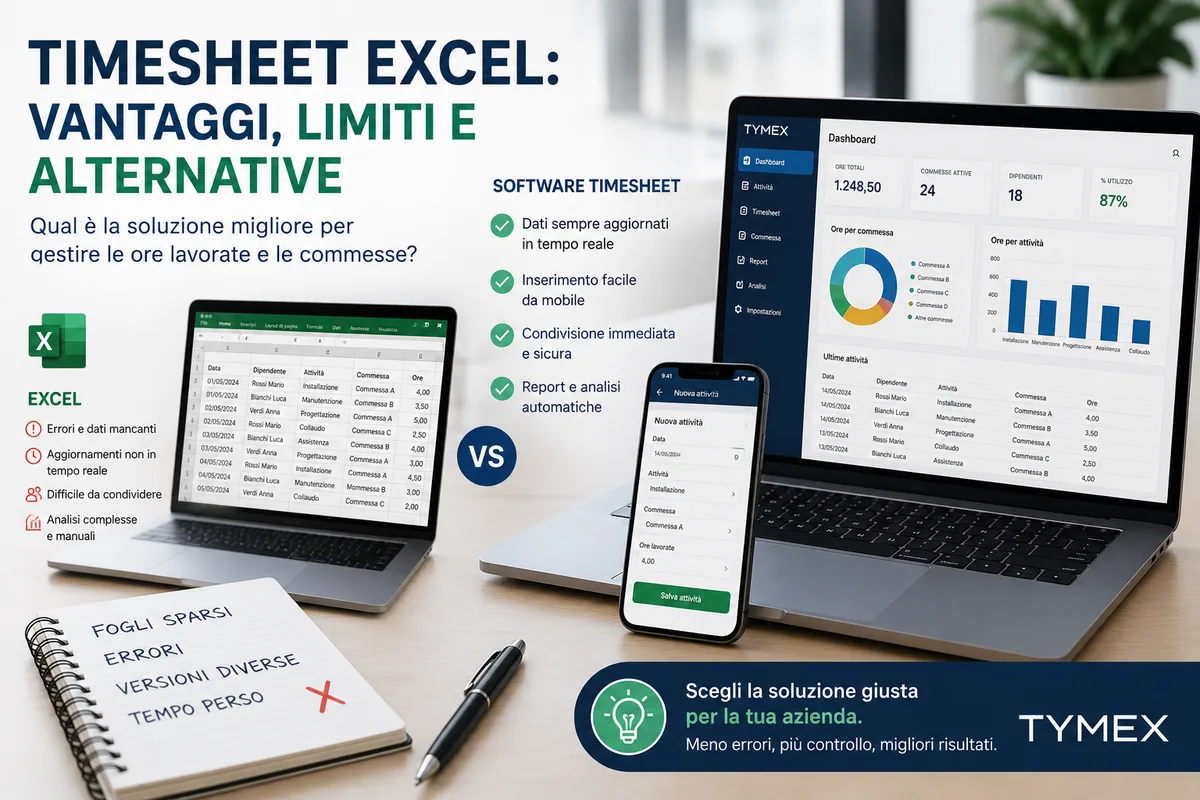
As companies grow and the amount of information increases, however, the limits of Excel become more and more obvious. Data-entry errors, incomplete data and difficult analysis can undermine job control and project profitability.
In this guide we look at the pros and cons of Excel timesheets and at the alternatives available today for managing hours worked more efficiently.
What is an Excel timesheet
An Excel timesheet is a spreadsheet used to record the time spent on specific activities, customers, projects or jobs.
It usually contains information such as:
- employee name
- date
- activity carried out
- customer
- job
- hours worked
The aim is to monitor the time spent by staff and collect data that is useful for running the business.
The advantages of Excel
Ease of use
Most people already know Excel and it requires no specific training.
Low initial costs
Many companies already have Microsoft Office and can quickly start building a time-recording system.
Customisation
Every organisation can build sheets tailored to its own operational needs.
Flexibility
You can add fields, formulas and custom reports with few limitations.
The limits of Excel timesheets
Data-entry errors
Entering information manually increases the risk of errors and missing data.
No real-time updates
Data is often spread across several files and is not immediately available to managers and administration.
Hard to control
As the number of employees grows, consolidating information and checking that the data is correct becomes complicated.
Version problems
Several users may work on different copies of the same file, creating inconsistencies and duplicates.
Limited analysis
Excel can produce reports, but it takes time and specific skills to get really useful information.
When Excel is no longer enough
The limits of Excel show above all when a company:
- works on several jobs at the same time
- manages technicians in the field
- uses external contractors
- needs to control margins
- wants to integrate data with its ERP
In these cases collecting information manually can slow processes down and reduce data quality.
Why track hours worked
Time tracking is one of the most important tools for job control.
Knowing the time actually spent on customers and projects lets you:
- control costs
- compare budgeted and actual figures
- plan better
- assess the profitability of activities
- increase margins
The features of modern timesheet software
Timesheet software overcomes the limits of spreadsheets thanks to dedicated features.
The most important include:
Smartphone entry
Technicians and staff can enter activities and hours directly from where they work.
Central database
All information is collected in a single system.
Automatic checks
Fewer errors and better data quality.
Dashboards and reports
Instant analysis of activities, costs, jobs and productivity.
ERP integration
Automatic data exchange with the company's business software.
Excel or timesheet software?
| Aspect | Excel | Timesheet software |
|---|---|---|
| Data entry | Manual | Guided |
| Mobile access | Limited | Native |
| Data updates | Delayed | Real time |
| Analysis | Manual | Automatic |
| Job management | Limited | Advanced |
| Cost control | Complex | Built in |
| Collaboration | Difficult | Centralised |
How Tymex helps companies
Tymex is timesheet software designed for companies that want to monitor hours worked, activities and jobs in a simple, structured way.
The platform lets you:
- log activities from smartphone and web
- monitor hours worked
- control costs and margins
- manage jobs and projects
- integrate the information with ERP systems
By collecting information digitally, companies can eliminate most of the manual work usually done in Excel.
Conclusions
Excel can be a starting point for recording hours worked, but it has significant limits as the organisation becomes more complex.
Companies that want better job control, fewer errors and reliable data can benefit from adopting dedicated timesheet software.
Digitising time tracking doesn't just save time: it provides valuable information to improve profitability and management control.